
Hardware approvals for Safe
Several people, several keys, one Safe.
PicoQuorum is a small approval console for Safe multisig wallets. It shows what a transaction does on its own screen, works out the hash itself, and signs with a key that never leaves its chip, only when you hold Sign.
The app runs in your browser: open any Safe, check every confirmation, and execute. It holds no key.

How an approval goes
- 1
Someone proposes
In Safe{Wallet} or anywhere else. The transaction waits in Safe's queue for the owners.
- 2
The console reads it
It decodes the call into plain language, with red pages for anything that changes who controls the Safe, and computes the Safe transaction hash from the fields it shows.
- 3
You hold Sign
The plug-in key, an Infineon Trust M, signs the hash the console computed. It owns the Safe through Safe's audited passkey signer. No seed phrase exists.
- 4
Execute in the app
Every confirmation is checked in your browser, the signatures are laid out the way the Safe expects, and your wallet sends it.
Nothing signs unseen
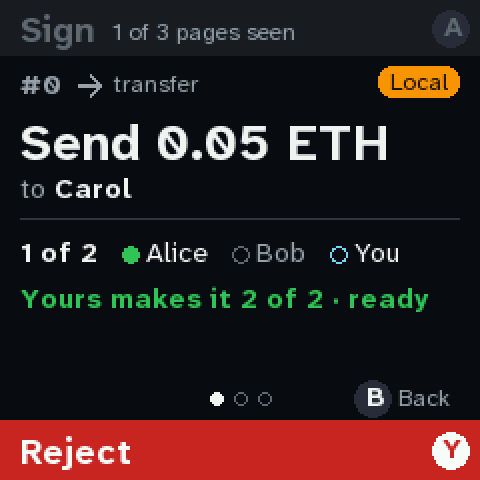
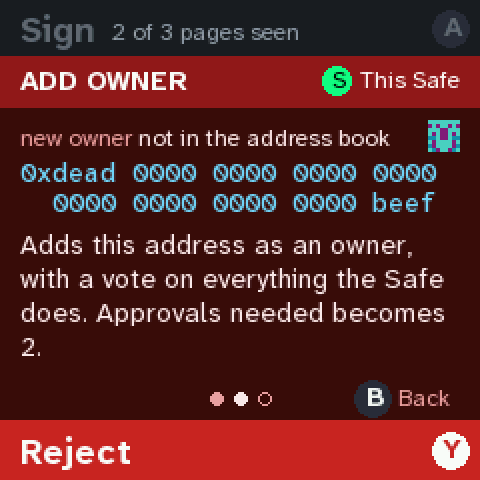
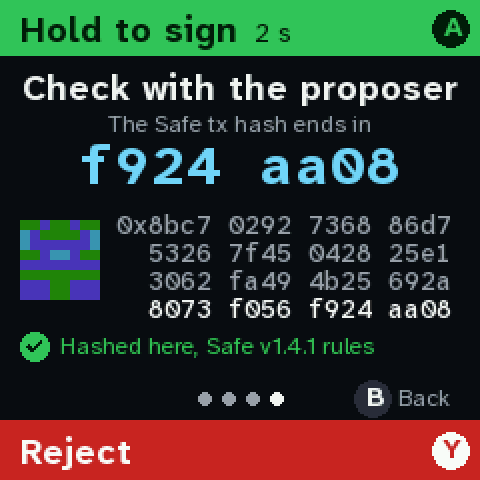
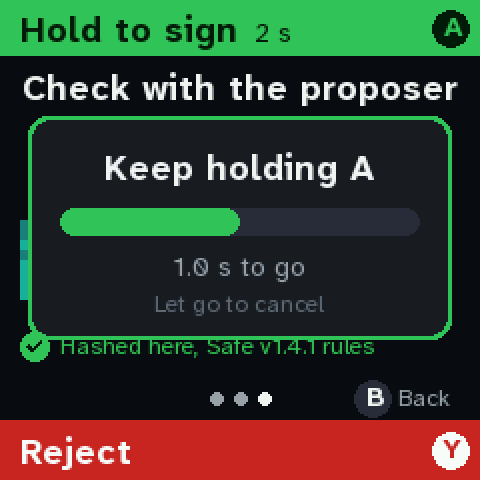
A console you can read
The same firmware also runs in your browser, with your passkey as its key: Touch ID, Windows Hello, a phone or a security key. It is one folder that loads nothing from the rest of this site. Inside is the console image a Pico runs, about 11,000 lines of MicroPython as plain files, and 1,100 lines of JavaScript around it. It can reach Safe's transaction service and nothing else, and the browser enforces that.
- Save a copy. Every file is listed with its SHA-256, in the format sha256sum checks. There is no build step: these are the files that run.
- Hold it up to the README. Its firmware hashes to the release fingerprint in the README, the one a Pico running that release shows on its Device screen.
- Sign from your copy. A passkey belongs to the site that made it, so one made on your own copy can be asked to sign by that copy, never by a later version of this site.
What it can't do
Your computer draws its screen, and the passkey's prompt never shows the transaction. A copy you checked rules out a changed page, not malware on the computer.
Keep passkey owners below the Safe's threshold. The hardware console, with its own screen and its own key, is the stronger owner.
The app
Safe{Wallet} can't execute a transaction when a PicoQuorum key is one of two or more confirmations: it fails with GS021. The PicoQuorum app can, and checks everything on the way.
- Safes. Owners, threshold and nonce read from the Safe itself. Save the ones you use, name the owners, back it all up to a file.
- Propose. Sends, tokens, owner changes, thresholds and rejections, signed by your wallet as one owner, with the verify code the console will show.
- Queue. Each transaction's hash recomputed, the console's verify code shown, every confirmation checked, and yours added from your wallet.
- Execute. Simulated against the chain first, then sent by your browser wallet.
- Keys. Each listed key's attestation checked in your browser, and a badge for the owners that pass.
- Blockies everywhere. The same picture for an address or a hash as the console, Safe{Wallet} and Etherscan draw.
Where it stands
- A simulated Safe and a local fork, on the real Pico
- Base Sepolia, end to end over HTTPS
- Base, with a few dollars: the first approval is next
- Then Ethereum mainnet
Experimental. Early design. Use a testnet first and small amounts on mainnet. The Safe's threshold is the real control.